
Home / Warehouse photo checks
The cheapest moment to catch a mistake
Rowbuy warehouse photos: what QC is and how we read them
QC, short for quality control, is the set of photos Rowbuy takes of your item when it reaches the warehouse. You approve them before anything goes abroad.
What Rowbuy promises about the photos
Rowbuy calls the photos free and says they show your actual item, not the seller's pictures. A notice tells you they are up; you look them over in your account, then approve or flag a concern. If the warehouse spots a problem itself, it says it contacts you first. It does not say how many photos you get or whether extra photos cost anything, so we do not quote a number.
Our six-point photo reading order
Below is how to check QC shots in one fixed sequence, so nothing slips past because the first frame looked fine.
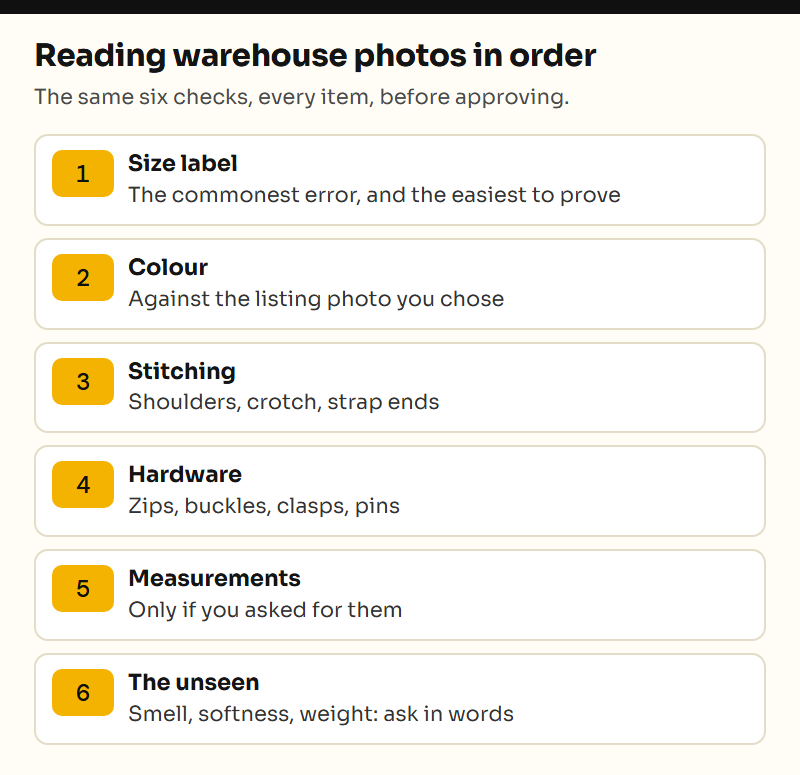
- The size label, because the wrong size is the most common error and the easiest to prove.
- The colour against the listing photo you chose, allowing for warehouse light.
- Seams and stitching at the stress points: shoulders, crotch, strap ends.
- Hardware: zips, buckles, clasps, pins.
- Measurements, if you asked for them.
- What photos alone cannot establish: smell, softness, waterproofing or electrical function. Ask for the relevant measurement or information separately; a visible weight reading is different from guessing weight from an image.
Photo requests that differ by occasion
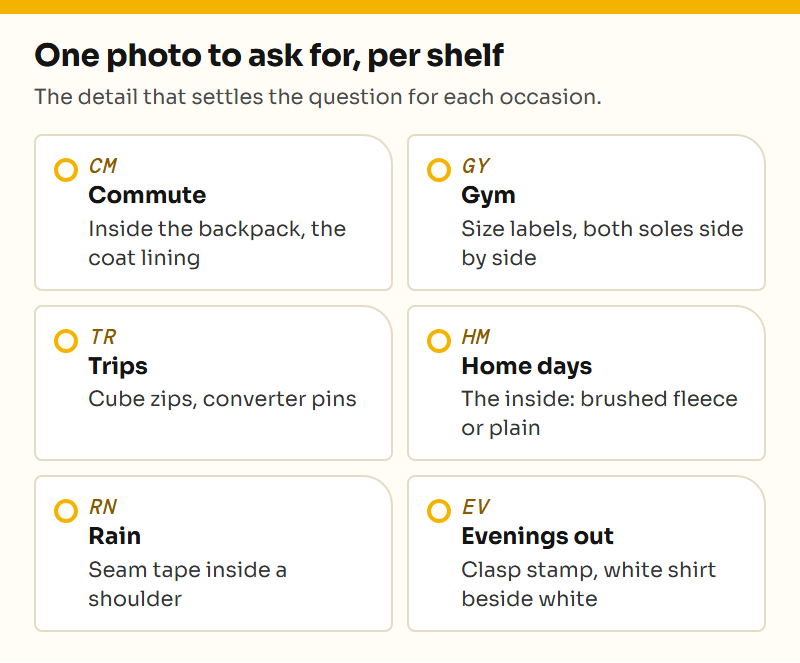
Each shelf has its own weak spots, so we ask for different photos:
Example request for the commute shelf: “Please show the laptop sleeve with a ruler across its opening and from opening to bottom.” Compare those measurements with your own device, including its case. A picture of the closed backpack cannot answer this. The commute picks explain which feature each listing depends on, while pre-order checks help you ask before the seller ships.
- Commute: the inside of the backpack and the coat lining.
- Gym: size labels and both shoe soles together.
- Trips: moving parts, such as cube zips and converter pins.
- Home days: the inside of anything that might be fleece-lined.
- Rain: seam tape inside the shoulder of the shell.
- Evenings out: the silver stamp and the white shirt next to something white.
Raising a bad warehouse photo in time
Raise it before approving. Rowbuy's help center says it will ask the shop to take the item back or swap it when the photos show the wrong item or damage, and that this has to happen before shipping. Once the parcel leaves, the route is a transit claim with photos, which covers loss and damage on the way, not a wrong size.
Be specific when you raise it: name the photo and the problem, and say what you want, a swap or a refund. A vague note such as looks off gives the warehouse nothing to show the seller.
Keep the original option selection, the relevant warehouse frame and a short description together. For example: “The order is for black; photo 2 shows the blue option. Please confirm the option and available remedy before dispatch.” Ask for clarification when the lighting or angle is ambiguous; reserve a return request for a mismatch you can explain. The help page identifies the contact route. A GL/RL comment from another shopper does not submit a request to Rowbuy.
GL and RL in buyer photo threads
Buyers online write GL for green light, meaning the photos look good and they will approve, and RL for red light, meaning something is off and they will return or exchange. Neither is a Rowbuy term. On this site we just say approve or raise it. More terms on the answers page.